Sandboxels
.webp "Swagflip") Swagflip
 Basketball Hit
.png "Unmatched Basketball") Unmatched Basketball
.jpg "Skip It") Skip It
 Cowboy Safari
 Wacky Steps
 Helix Jumping
 Escape Raid
 Street Physics
 Slope 3
 Subway Surfers Lucy
 Two Punk Racing 2
 Red Ball 4: Volume 2
 Geometry Dash Breeze
 Obby Rainbow Tower
 Fish Eat Grow Mega
 Tap-Tap Shots
 Basketball Stars
.jpg "Basketball Stars 2026") Basketball Stars 2026
.png "Basketball Kings 2022") Basketball Kings 2022
 Basketball Superstars
 Basket Champs 2
 Basketball
 Basket Monsterz
 Basketball Legends 2020
 Basketbros
.png "Bouncy Ragdoll Basketball") Bouncy Ragdoll Basketball
 Basketball Stars 3
 Happy Wheels
 Dunk Hoop
 Basketball Master 2
 Flipper Basketball
 Slam Dunk Basketball
.jpg "Basketball Master") Basketball Master
 Basket io
 Basket Sports Stars
 Basket Swooshes Plus
 Basketball Slam Dunk
 Basketball Star
 Cannon Basketball 4
 Incredible Basketball
 Basket Slam Dunk 2
 Swipy Basketball
 Basket Shot Master
 Basket And Ball
 Head Sports Basketball
 Epic Basketball
 Cannon Basketball
 Legends Basketball Star
 Ultimate Swing
 Flappy Dunk
 Jump Dunk
 Dunk Dash
 Five Hoops
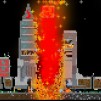
Sandboxels is a unique sandbox simulation game where players can freely create and observe how the microscopic world operates right in their browser. The game allows you to experiment with different elements such as sand, water, fire, metal, plants, etc., and observe how they interact with each other according to simple yet intuitive laws of physics and chemistry.
How to Play
Players simply select an element from the tool panel, then "draw" directly on the screen to create the desired environment. Each element has its own behavior: sand falls due to gravity, water spreads, fire spreads quickly when it encounters flammable materials, and plants can grow if the conditions are right. This interaction creates countless interesting situations, from building a miniature ecosystem to experimenting with unexpected reactions.
Keys to Play
Number keys (1, 2, 3, ...): quickly switch between commonly used tools or element groups.
Space key: Pauses or resumes the simulation, useful when you want to observe a reaction in detail.
C key: Clears the entire screen, returning the world to its initial state to start a new experiment.
Z/Y keys: Undo the last action, allowing for quick error correction.
Shift key (in mouse combination): Draws quickly and continuously with a larger size.
+/- keys: Adjusts the simulation speed, increasing or decreasing the pace of the world's operation.